The Wolfram Solution for Image Processing
Drag and drop images into lines of code or equations; apply sophisticated image processing algorithms; and analyze, visualize and generate interactive applications—all in one system, with one integrated workflow.
The Wolfram image processing solution seamlessly integrates specialized capabilities—like state-of-the-art 2D and 3D image processing functions, easy import of data and an interactive interface—with the speed and performance benefits of GPU computation, parallel processing, out-of-core technology and instant deployment on the web and through APIs.
- The Wolfram Edge
- How Wolfram Compares
- Key Capabilities
Wolfram technologies include thousands of built-in functions and curated data on many topics that let you:
- Process and analyze biometric input such as fingerprints, iris patterns, face and ear images, retinal scans and more
- Slice through 3D data and explore the inside of a volume
- Convert imagery into reliable, artifact-free data for a GIS or geodatabase
- Process satellite images for environmental applications to determine size of water bodies, existence and location of vegetation and other land covers and more
- Apply classifiers to images or image features using built-in machine learning capabilities
- Enhance and restore aerial photos for agricultural land use
- Process and analyze medical images
- Identify the development of fatigue cracks in engineering materials and structures
- Analyze remote sensing data for environmental research
- Map land cover through digital image processing of satellite data
- Scene reconstruction, event detection, tracking, object recognition, learning, indexing and motion estimation for computer vision applications
- Metallographic analysis, semiconductor inspection, test and measurement processes and other industrial imaging tasks
- Space and frequency domain filtering, intensity transformations, pattern recognition and more for robot vision applications
- Instant deployment of image processing applications on the web and through APIs
Does your current tool set have these advantages?
-
Built-in functionality for complete image processing workflow
Matlab requires multiple extra-cost toolboxes for image processing -
Automatic interactive interface construction to easily manipulate and analyze images
Unique to Mathematica -
Conveniently drag and drop images directly into the input line to apply image processing functions
Unique to Mathematica -
Generic interface creation, independent of the underlying image type, ranging from binary images to 64-bit real images
Matlab requires modification of the code based on the underlying image data type -
Integrated environment for interactive visual workflow
C, C++ and other languages require you to switch between a graphical window and text input to visualize and process images - Tight integration of the image processing framework with the core Mathematica system and more than 20 built-in application areas, such as GIS and statistics
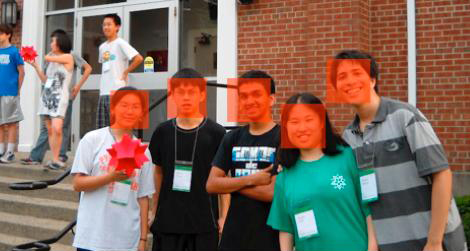
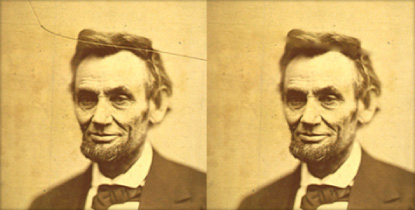
Image processing specific capabilities:
- Comprehensive support for 2D and 3D image processing and analysis, including segmentation, registration and advanced morphological operations »
- Variety of classical as well as state-of-the-art segmentation techniques, including region growing, active contours and grow-cut for foreground/background separation and other segmentation tasks »
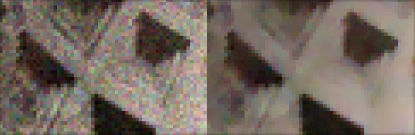
- Standard linear and nonlinear image processing filters for smoothing, sharpening, removing noise and more »
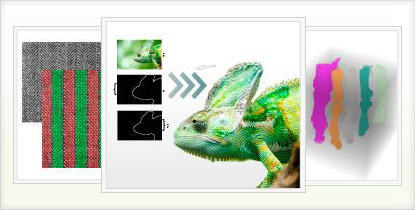
- Collage generation from a list of weighted or normal images »
- Variety of image analysis capabilities, including face detection and text and barcode recognition
- Advanced color processing capabilities, including support for device-independent color spaces such as Lab and LCh »
- Cut and paste or drag and drop images directly into commands or equations and operate on them as simply as on any numerical input »
- Import and export hundreds of formats, including scientific and medical data files such as DICOM, FITS, HDF and more »
- Import of high dynamic range (HDR) images and color profile data »
- Free-form linguistic input produces immediate results without the need for syntax »
- Easily build interactive interfaces to instantly visualize the effects of image manipulations such as adjusting contrasts, enhancing edges, applying filters and more »
- Capture and process images from imaging devices in real time
- Support for GPU computation with CUDA or OpenCL, including built-in functions for pixel operations, morphological operators and image convolution and filtering
- Out-of-core technology for scaling up performance to very large 2D and 3D volumetric images
- Full support for images with arbitrary numbers of channels and arbitrary color depths »
- Perform block and region processing of images and reassembly from arrays »
- Tight integration of the image processing framework with the core Wolfram System and more than 20 built-in application areas such as wavelet analysis and statistics
Organizations Using Wolfram Technologies







Consulting Solutions
Enlist the world’s computation experts to help with your project—any size, any level. At Wolfram, we know what’s possible with computational technology because we are global leaders in creating it. That gives us an unprecedented depth of expertise in applying it to consulting work in a variety of fields. Whether individual or enterprise, from concept to deployment, our computation experts can help you achieve robust results with less time and effort. Get us started with your project today