Wolfram for Content Development & Publishing
Create & publish interactive, computable content with Wolfram's unique computational intelligence platform






The Wolfram Advantage
Unique Computational Publishing Workflow
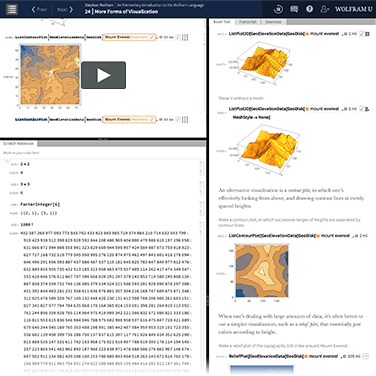
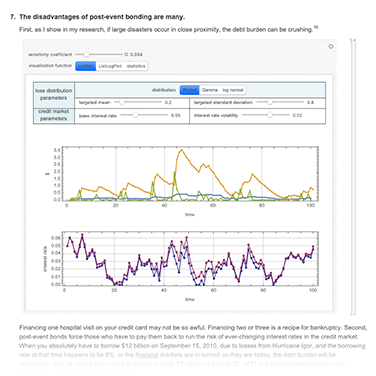
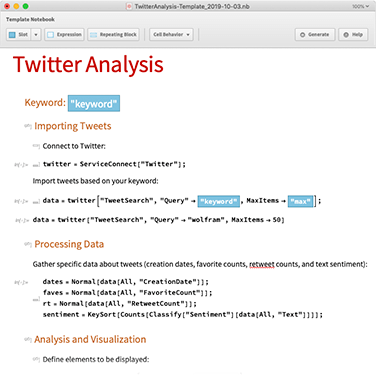
The Wolfram Language is ideal for creating computational essays and other interactive content—getting started with ready-made examples, curated data and interactive development, then sharing content using automated document generation and instant publishing on any platform. More
Public or Private Cloud
You can deploy and distribute to the public Wolfram Cloud or your own in-house Enterprise Private Cloud, with extensive options for protecting and monetizing your content. More
Cross-Platform Content Creation
The Wolfram HyperArchitecture unifies desktop, cloud and mobile functionality so you can create, share and interact with content equally across any medium.
Innovators of the Computational Notebook
Wolfram Notebooks offer the preeminent environment for any technical workflows—data science, modeling, research and education—empowering users with literate programming, easy-to-author interactivity and universal deployment across all platforms. More
Industry Leaders in Technical Visualization
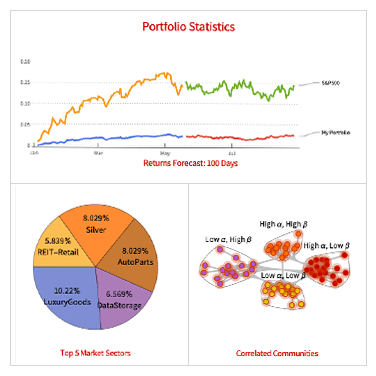
The Wolfram Language provides automated construction, styling and labeling for all kinds of 2D and 3D graphics, advanced image processing and publication-quality typesetting, so you can easily create the same professional Wolfram visualizations used in journals and textbooks worldwide.
Long-Term Compatibility (over Three Decades and Counting)
Wolfram's unique software design process focuses on backward compatibility and long-term consistency for robust, reliable content that's supported over decades of technology continuity. More
Wolfram Content Repositories
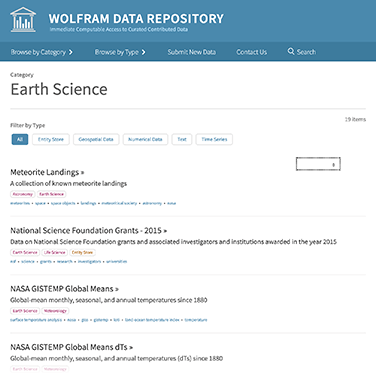
Wolfram Data Repository
Submit structured, computable datasets or browse and import expert-contributed datasets for immediate computation and data-backed publication
Wolfram Function Repository
Contribute your own standalone Wolfram Language functions and discover other user-defined functions suitable for immediate use in computations
Wolfram Neural Net Repository
Access expert-contributed neural networks or host your own models for evaluation, training, visualization, transfer learning and more
Notebook Archive
Instantly access articles, books, essays, posts, educational materials and student projects, and contribute your own Wolfram Notebooks for permanent publication and reference
Demonstrations Project
Publish interactive web resources to illustrate technical concepts for a broad audience, or pick from thousands of pre-built notebooks for education, research, recreation and more
Wolfram Challenges
Download or interact with notebooks from our collection of pre-built coding exercises involving math, geography, words and other computational subjects
Wolfram Community
Post your notebooks, projects and innovations, share and discuss ideas, and find inspiration from Wolfram users around the world
Expositions Project
Submit computational essays outlining and exploring any topic, and browse user-contributed explorations in your favorite subjects
Computational Journal
Publish your own original research in any field of study as a computational essay and discover other computational works in this peer-reviewed journal
Wolfram Media
Browse and purchase books, ebooks and interactive websites featuring Wolfram Language computations, or print and distribute your own work through our publishing unit
Wolfram Language Example Repository
Download or interact with ready-to-use examples of Wolfram Language, or contribute your own examples on any topic
Developing with Built-in Computational Intelligence

Wolfram Language
Interactively create content using a vast depth of algorithms and knowledge, customize styles, graphics and interfaces, then export for immediate use in digital or print publications

Wolfram|Alpha
Compute expert-level answers and create custom visualizations with free-form input, explore information through interactive web apps and learning tools, or upload your own data and images for instant analysis
Deployment Features
Publishing is easy with Wolfram technology, from simple sharing of ideas to commercial content distribution. You can deploy any Wolfram Language expression—from a single output to a complete notebook—as a standalone asset for distributing, embedding or printing it wherever you need it.

One-Click Publishing
Share any Wolfram Notebook with the push of a button, sending it directly to the Wolfram Cloud for free interactive reading, downloading on any platform.

Universal Storage for Your Assets
Deploy your data, code and other expressions to the cloud in a variety of formats, maintaining consistent access for real-time interactivity and data-backed publication.

Embedding for Blogs and CMSes
Embed content directly with oEmbed or our WordPress plugin—powered by the Wolfram Notebook Embedder JavaScript library—or add to Blackboard, D2L, Wolfram Community and other websites using the JavaScript library or simple iframes.

Automated Document Generation
Create reports, presentations and other interactive content from notebook templates on a schedule or on demand, computing on data from any source or information entered through a dynamic form interface.

All-in-One Content Creation System
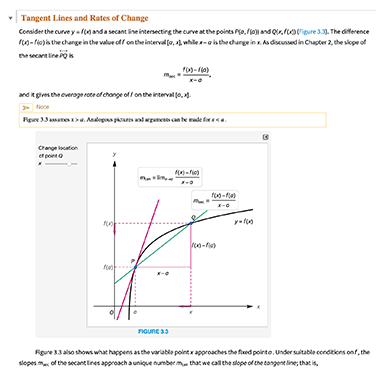
Start with built-in knowledge and examples, fill your notebook with structured headings, styled text, formulas, code, graphics and images, then export to PDF, TeX, HTML or other digital/print formats for course materials, ebooks, Arxiv submissions, etc.

Support for Commercial Distribution
Bring professional content from concept to publication and beyond with scalable interactivity, secure sharing through public or private clouds, and flexible licensing and DRM.
Resources


