Why Mathematica?
Because principles matter.Over three decades of building on bold design principles make Mathematica the world's ultimate computation platform.
Over three decades of building on bold design principles make Mathematica the world's ultimate computation platform.
As a pioneer in both AI and computation, Wolfram provides a unique suite of integrated capabilities to develop, study, use and complement modern AI systems, spanning frontier research to large-scale deployment. Make your own AI smarter by seamlessly integrating Wolfram's reliable computational knowledge through frameworks like MCP, deployed in your infrastructure or ours, or use LLM functions for efficient LLM access from within Mathematica.
View All Advantages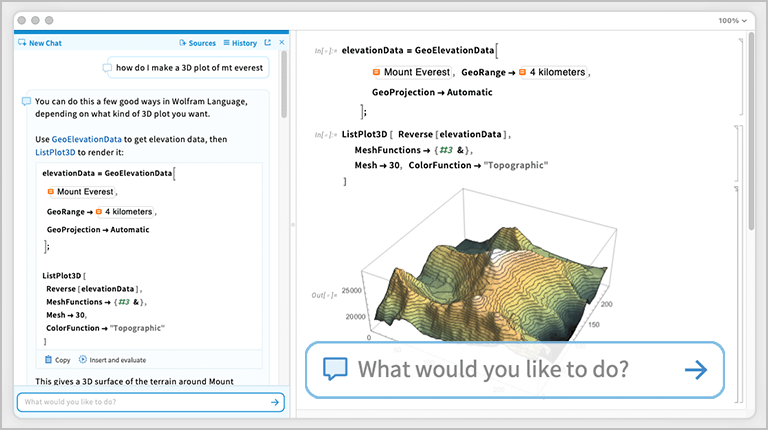
Advantages 
In other systems...
Additional purchases required
Additional purchases required
Accounts with additional providers required
Automation is the key to productive computing. Unlike other systems, Mathematica applies intelligent automation in every part of the system, from algorithm selection to plot layout and user interface design. You get reliable, high-quality results without needing algorithm expertise—and even if you're an expert, you get results faster.
View All Advantages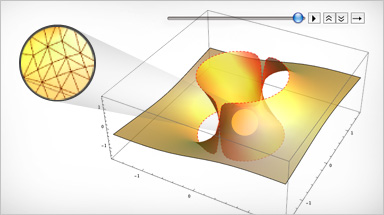
Automation in Computation
Advantages
In other systems...
Precision Control & Tracking
Just-in-Time Compilation
Algorithm Selection
Task Oriented Functions
Type Independent Functions
Reliable results without roundoff analysis
High performance in a high-level language
Get unreliable results (or perform manual analysis)
Get slower results (or optimize manually)
Use poorly suited or generic algorithms
Programs obfuscated by algorithmic details
Memorize different functions for each data type
Automation in Visualization
Advantages
In other systems...
Style
Layout
Feature Detection
Adaptive Sampling
Interactivity
Composition
Publication-quality graphics at every stage
Maximally informative diagrams and text
Correctly visualize key features of functions
Efficiently resolve features on different scales
Instant interactive plots and diagrams
Compose text, images, tables and controls
Manually specify colors, tick marks, etc.
Manually specify plot ranges, layouts, etc.
Incorrect plotting of discontinuities, branch cuts, etc.
Missed details (or wasted function evaluations)
Manually program interactive elements (or use none)
Generate only simple graphics (or use separate software)
Automation in Development
Advantages
In other systems...
Free-Form Linguistic Input
User Interface Construction
Cross-Platform Deployment
Memory Management
Parallelization
Translate free-form text into precise commands
Complete interfaces from minimal specification
Intrinsically platform-independent applications
Optimized allocation, tracking and deallocation
Zero-configuration parallelization
(No alternative)
Manually program all aspects of user interface
Limited deployment (or manually port to each platform)
Manually allocate and track memory
Manual parallelization (initialization, communication, etc.)
Specialized software and add-on toolboxes discourage the creative exploration of new ideas and areas—an even greater cost than their purchase price. Mathematica requires no add-ons. It has built-in specialized functionality for many technical areas, from computational biology to wavelet analysis, all tightly integrated with the rest of the system.
View All Advantages
Advantages
In other systems...
Smooth workflow from idea to deployment
Own a single technical platform
Learn a single technical platform
Explore ideas spanning different technical areas
Change tools and formats at each stage
Regularly need costly add-on toolboxes
Learn multiple specialized tools with limited scope
Creativity restricted by built-in functionality
Symbolic and numerical computation are traditionally thought of as separate, to the detriment of users. In Mathematica, they are seamlessly integrated, enabling unique hybrid methods for many problems and ensuring consistent results whenever quantities of any precision are combined.
View All Advantages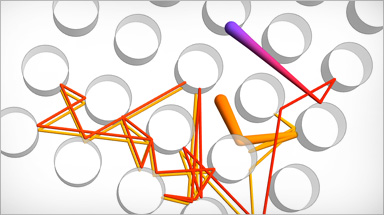
Advantages
In other systems...
Get exact, general results whenever possible
Track roundoff errors automatically
Use hybrid methods that exploit the mathematical structure of the input
Get only numerical results, often forfeiting insight
Get unreliable results (or manually track roundoff)
Only use less efficient generic methods
No one programming style is ideally suited to every problem. Mathematica stands out from traditional computer languages by simultaneously supporting many programming paradigms, such as procedural, functional, rule-based, pattern-based and more.
View All Advantages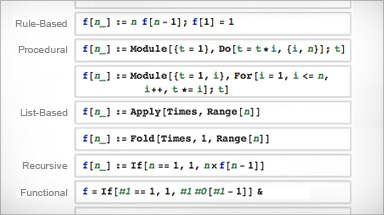
Advantages
In other systems...
Program the way you think
Use the best combination of techniques for the problem
Change your thinking to fit the platform
Operate within a single paradigm regardless of its suitability
Searching and updating standard datasets shouldn't interrupt your workflow. Mathematica is unique among technical computing platforms because it includes a vast collection of carefully curated data of all kinds, continuously updated and expanded.
View All Advantages
Advantages
In other systems...
Readily computable data built in
Automatically keep data up to date
Instantly access and use standard data
Incorporate standard data that would be hard to obtain
Manually import, validate and restructure data
Regularly check source for updates and corrections
Interrupt workflow to obtain data
Restrict analyses to a more limited set of data
You shouldn't need one program to process your data, another to visualize it and a third to interactively present it. Mathematica does everything in a single workflow, keeping all elements of a project—calculations, visualizations, data, documentation and even interactive applications—together, in uniquely flexible documents.
View All Advantages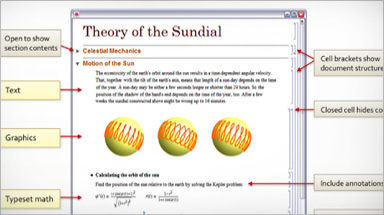
Advantages
In other systems...
Keep all elements of a project together
Automatically document as you work
Include interactivity in documents
Easily re-target documents for web, print and presentations and as applications
Save data, formulas, text, code, results, graphics and applications in separate files and formats
Lose intermediate steps, leading to difficulty reproducing results
Graphics and other elements must be static, not interactive
Start from scratch when deploying to any new medium
Questions? Comments? Contact a Wolfram expert »